
Features for UK motorhomes
A motorhome is two things bolted together: a base vehicle underneath and a habitation body on top. NomadStamp gives them a tab each, because that is how the trades work on your van and how the paperwork arrives.
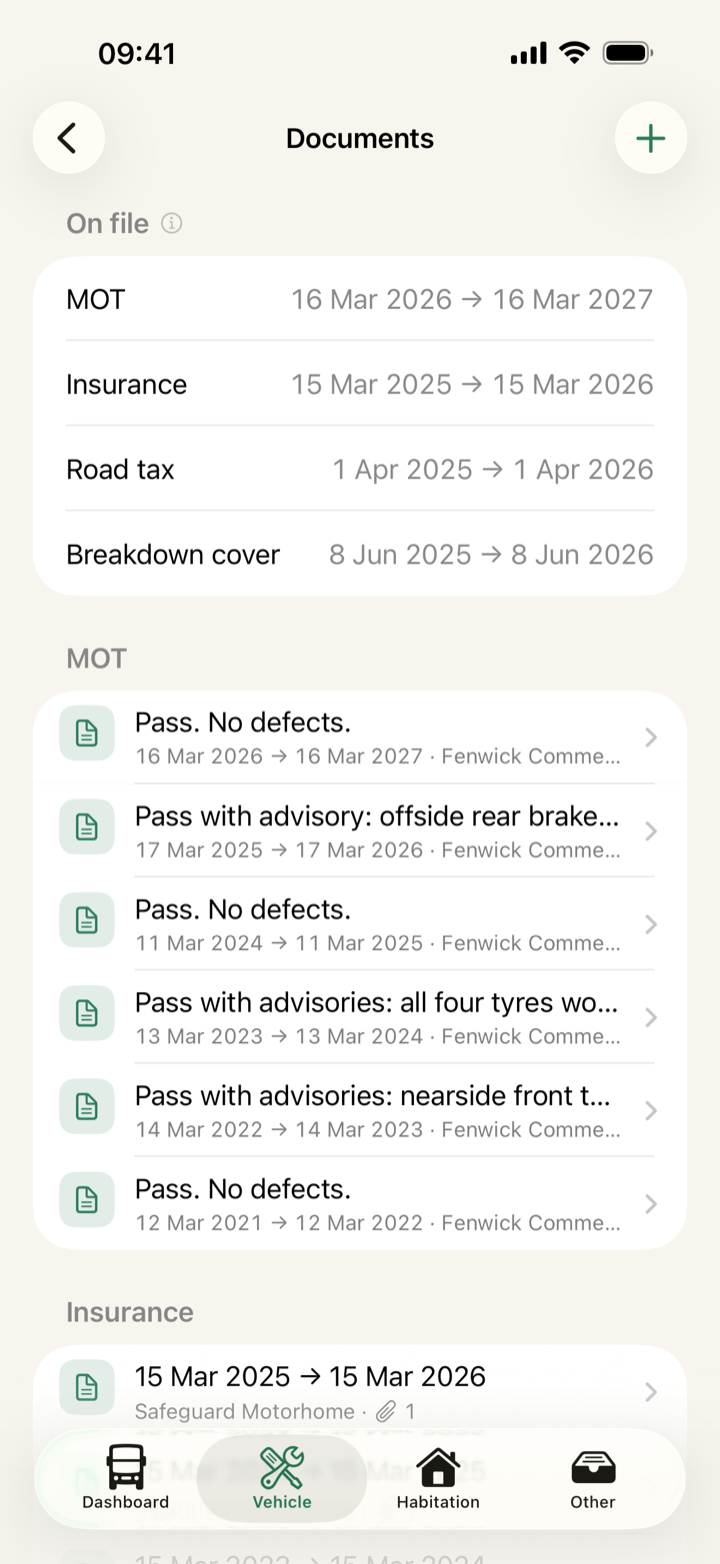
MOT history from DVSA
Enter your registration to pull complete MOT records directly from the DVSA, including dates, test results, and recorded mileage. Store tax, insurance, and breakdown policies in the same view.
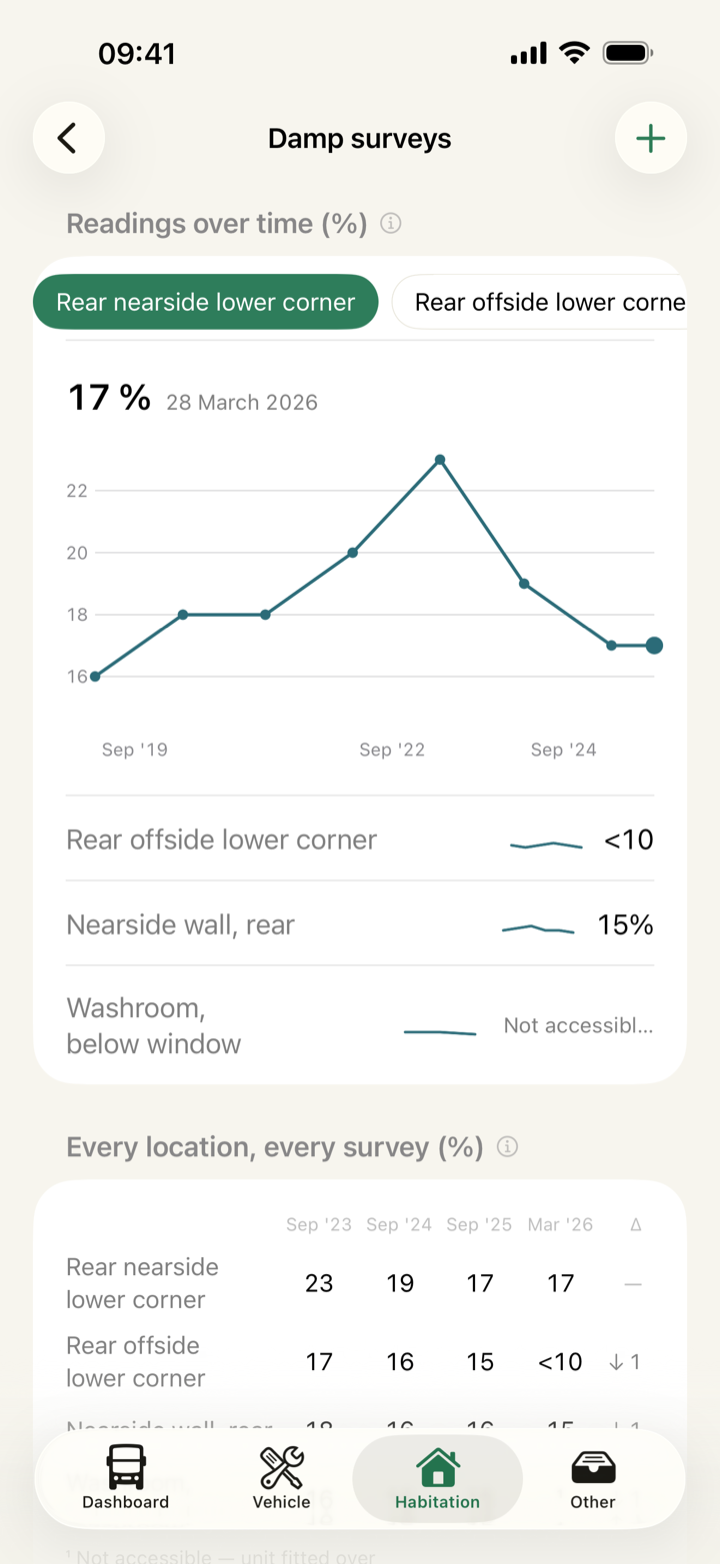
Annual damp trends
Log damp readings by location across every survey. Keeping multi-year data is what turns a folder of loose reports into a record a buyer can read.
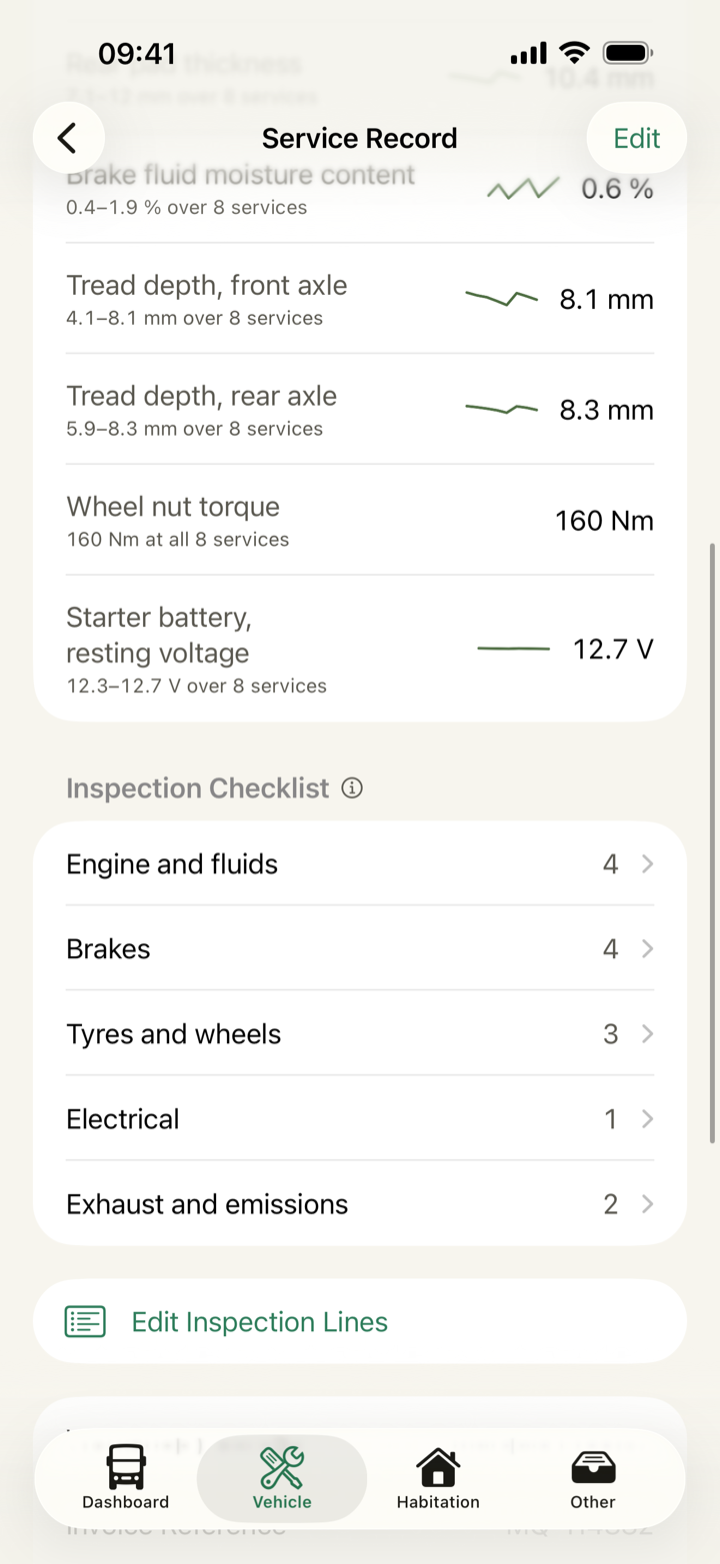
Workshop records
Attach invoice photos, or enter the workshop's inspection sheet line by line with its measured values. Pin a line, like a cambelt or a DPF check, and it appears under Last done with the date it was last recorded.
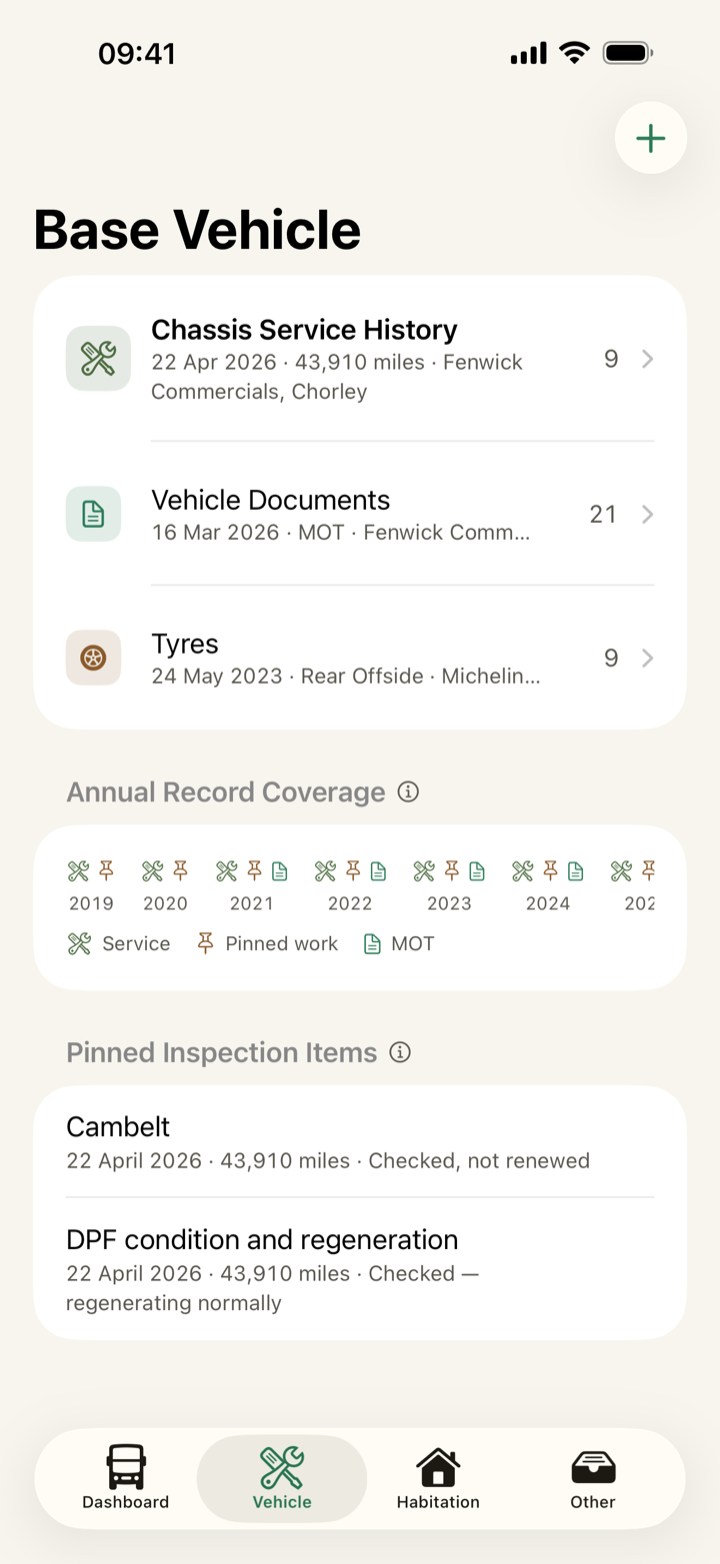
Coverage by year
Every register says how many records it holds and what it most recently received. Annual Record Coverage is a grid of what you have entered year by year, and a blank year means nothing was entered rather than that nothing happened.
Dedicated habitation records
Keep one record per habitation visit: the dates, the workshop, the cost, what was carried out, and the check sheet line by line. Gas safety certificates file here too, on the same tab as the body they cover.

Every record in one timeline
Open the Complete Logbook to read every record the van holds, of every kind, grouped by month. The newest year is open and each older year is one row with its record count, so a long history starts short. It is the same history the resale pack is built from, on screen.

Tyres by wheel position
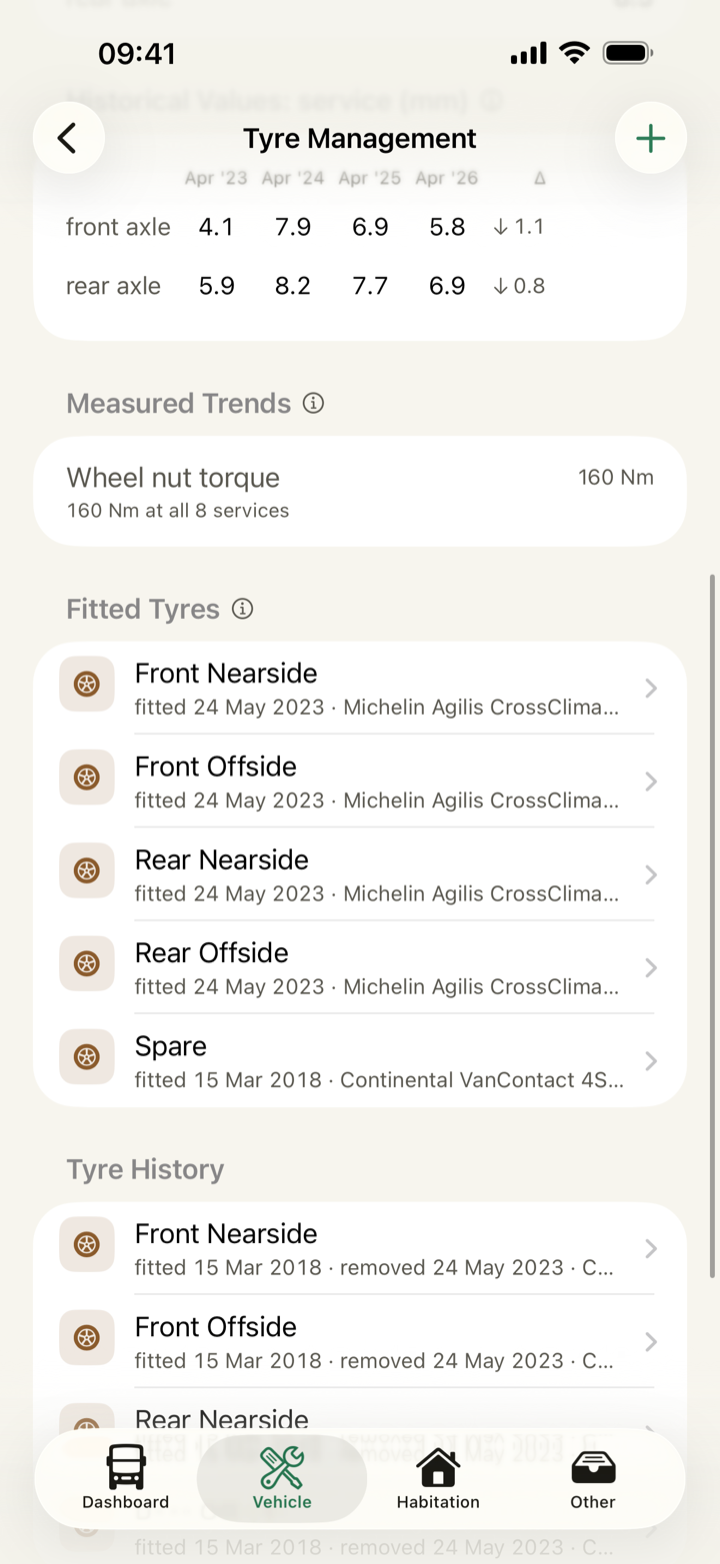
Record one entry per wheel position, including the spare, with the fitted date, the mileage, the brand, the size and the DOT code off the sidewall. NomadStamp shows the code and works nothing out from it.
Weights and payload on file
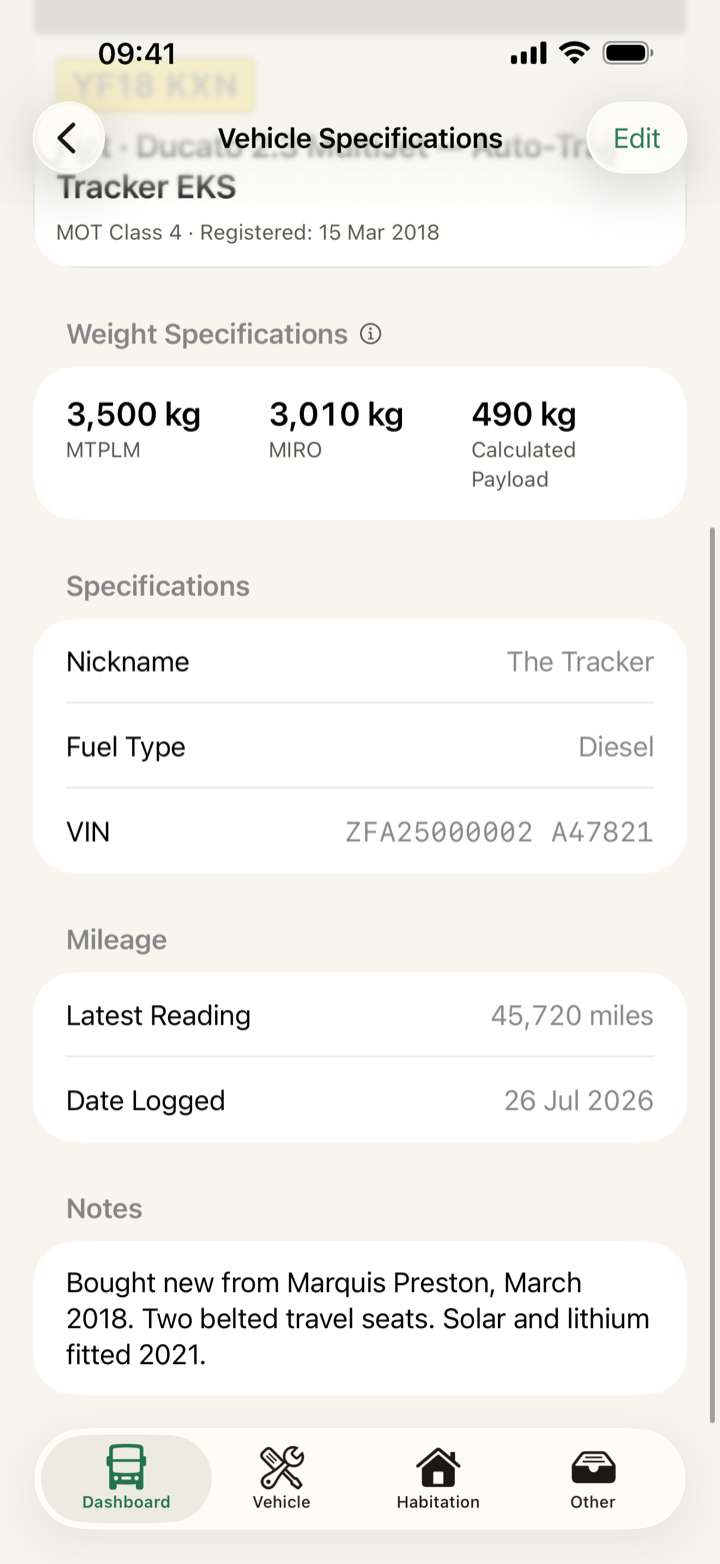
MTPLM is the van's maximum weight with its load, and MIRO is its weight empty and ready for the road. Enter both and NomadStamp subtracts one from the other to give you the payload. It is the figure a buyer asks about and the one an owner cannot find when they need it. The paperwork guide says where to find the figures.
What you can log
- Service history
- On the Vehicle tab. Work done, the garage, the cost, the mileage, the inspection sheet line by line, and attached invoice photos.
- Vehicle documents
- On the Vehicle tab. MOT test history from DVSA, insurance, road tax and breakdown cover, each with the dates you entered.
- Tyres
- On the Vehicle tab. One entry per wheel position including the spare, with fitted dates, mileage, brand, and the DOT code off the sidewall.
- Habitation checks
- On the Habitation tab. One record per visit: the dates, who did the work, what it cost, what was carried out, and the check sheet line by line.
- Damp surveys
- On the Habitation tab. Readings by location, with the meter and the engineer. A survey with no readings above the workshop’s line records as exactly that.
- Appliances
- On the Habitation tab. Make, model, serial number, fitted and removed dates, and a photo of the rating label.
- Costs and invoices
- Under Other. Every recorded cost in one list, grouped by the register that holds each record, with standalone receipts at the top.
- Warranties and documents
- Under Other. Warranties, handover packs, and any dated paperwork belonging to neither half of the van.
- Damage
- Under Other. Dated photos of a knock or a scrape, logged when it happens, with the repair recorded when it is done.
- Trips
- Under Other. Dates, mileage out and back, and where you stayed.
- Mileage
- Under Other. Odometer readings logged on their own, alongside the ones riding on your services, MOTs, tyres and trips.
- Checklists
- Under Other. Reusable departure and arrival lists, each run saved as its own dated record.
- Reminders
- Under Other. Alerts on the dates you set yourself. A mileage reminder shows the date it works out from your own readings.
- Vehicle details
- Behind the card on the Dashboard. Registration, VIN, weights, and payload worked out from MTPLM minus MIRO.
Build the resale pack
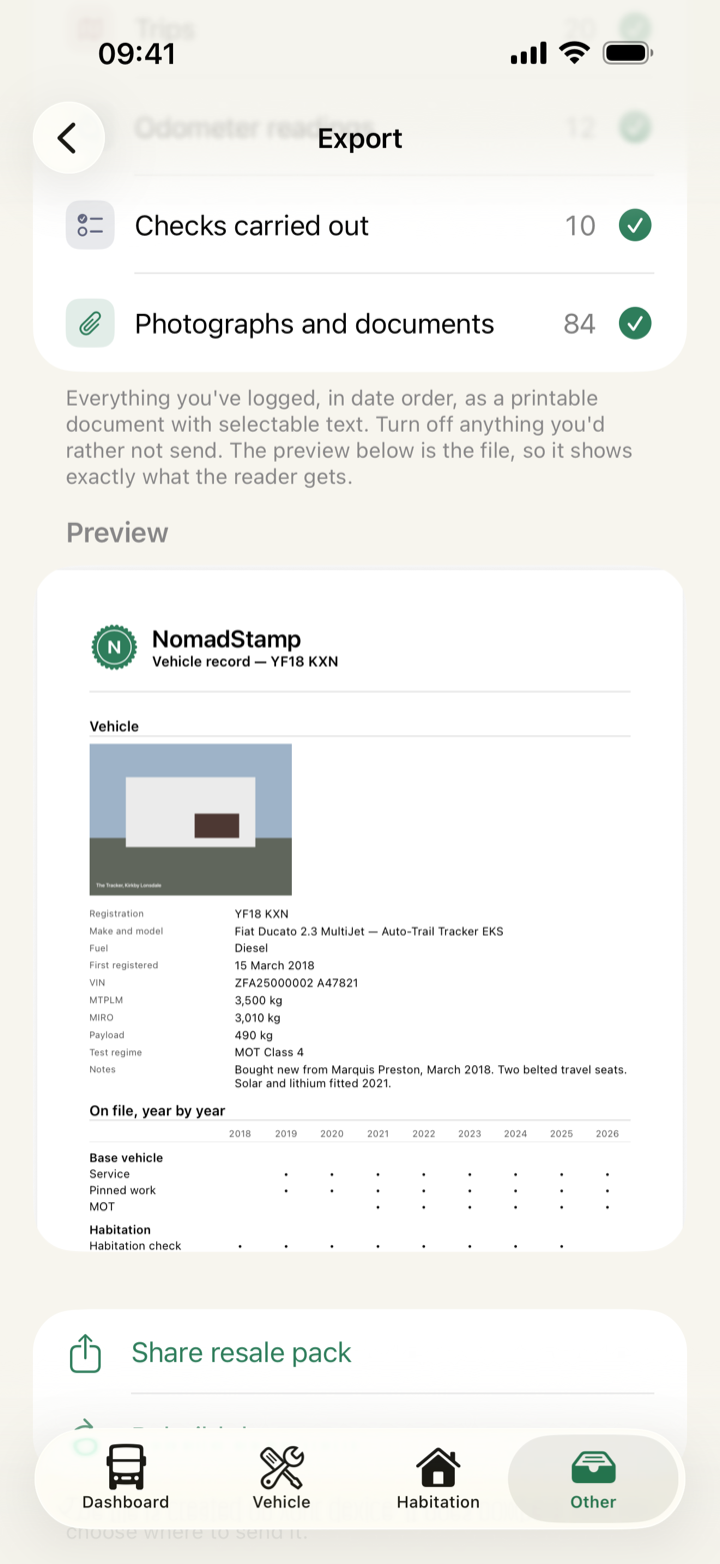
Other → Export Resale Pack builds a searchable PDF resale pack: service history, certificates, inspection sheets, damp surveys, tyres and your own paperwork. The contents list is the control, so switch off any section you would rather not send and the preview rebuilds as the file the reader gets.
Multi-vehicle support & instant undo
Add another vehicle from the Dashboard, and switch between vans from the same menu. Each keeps its own logbook, its own reminders and its own resale pack, and nothing is shared or added up across them. Every entry can be reversed from the Undo banner that follows it. Removing a van takes its whole logbook with it, asks first, and cannot be undone.
Your data stays yours
Your records stay on your device and in your own iCloud. No logins, no analytics, no remote servers. One thing leaves, and only when you ask for it: tap Fill in from DVSA and your registration goes to a lookup service that keeps no logs and no database.
NomadStamp costs £7.99 once with no recurring subscriptions, no ads, and no data monetisation. It works offline indefinitely with nothing else to buy. The full privacy policy.
Record-keeper, not advisor
NomadStamp is a record-keeper, not an advisor. It never tells you whether something is due, safe or legal, and it never works a date out of a damp reading, a tyre code or a service record. You control your own schedule by setting reminders against dates you choose. A mileage reminder is the one exception, and the app shows you the date it works out from your own odometer readings.
One payment, every van you own
£7.99No accounts. No subscriptions. No ads. Works offline, and the only thing that ever leaves is a registration you ask it to look up.